
Introduction
Clear communication is essential in every modern organisation. Whether a business is presenting
to clients, training employees, conducting a hybrid meeting or managing a large event, the quality
of its communication tools has a direct impact on the experience of everyone involved. A
professionally designed audio visual system brings sound, displays, cameras, control technology
and collaboration tools together in one reliable environment.
Many organisations begin with separate screens, speakers, cameras and cables that have been
purchased at different times. Although each device may work independently, the overall
experience can become inconsistent. Users may struggle to connect laptops, remote participants
may not hear clearly, presentations may be difficult to view and meetings may begin late because
the system requires technical assistance. An integrated audio visual system reduces these problems
by creating a standard and easy-to-use setup.
What Is an Audio Visual System?
An audio visual system is a combination of equipment, software, networking and controls used to
present, capture, share and manage sound and visual content. The exact setup depends on the
room, number of users, purpose of the space and required collaboration platform.
A complete business AV environment may include displays or projectors, microphones,
loudspeakers, video conferencing cameras, digital signal processors, wireless presentation tools,
room control panels, equipment racks, network connections and collaboration software. These
components should be designed to operate as one system rather than as unrelated devices.
Core Components of a Professional AV Setup
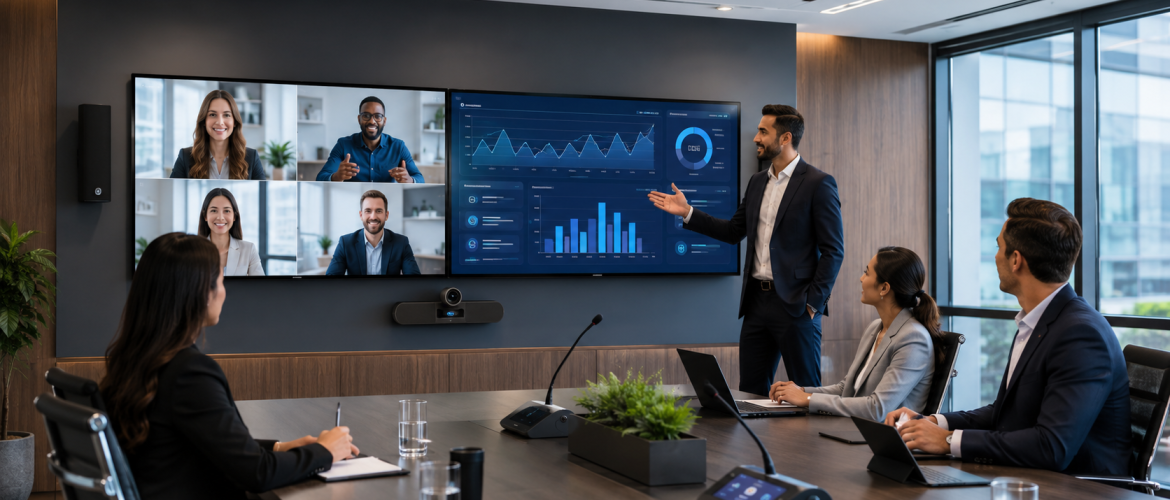
A business AV system normally begins with the display. Small meeting rooms may use one
commercial display, while boardrooms may require dual displays so that shared content and
remote participants remain visible at the same time. Training centres, auditoriums and command
environments may use projection systems, large-format displays or video walls.
Audio is equally important. Poor sound makes meetings tiring and causes participants to repeat
information. The system may use table microphones, ceiling microphones, boundary microphones
or wireless microphones depending on the space. Speakers must provide even coverage, while
digital audio processing helps control echo, background noise and volume levels.
Video conferencing cameras should capture the room clearly without making remote participants
feel disconnected. Auto-framing, speaker tracking and preset camera positions can improve the
experience in medium and large rooms. A simple control interface allows users to start calls, adjust
volume, select sources and share content without managing several remote controls.
Why Businesses Need High-Quality Audio Visual Systems
A reliable audio visual system improves communication by making speech clearer and visual
content easier to understand. This is important during sales presentations, management meetings,
staff training, project reviews and customer demonstrations.
It also supports hybrid work. Employees, clients and partners may join from different offices or
countries. A well-designed room gives remote participants a fair opportunity to hear, see and
contribute. Clear microphones, suitable camera angles and properly positioned displays help
create a more balanced meeting.
Professional AV systems improve presentation quality. Brand videos, reports, design concepts and
technical information can be presented with better clarity. This strengthens the professional image
of the organisation and helps presenters maintain audience attention.
Another advantage is consistency. When multiple rooms use a standard design and user interface,
employees spend less time learning how each room works. IT teams can manage, monitor and
support the rooms more efficiently.
Business Areas That Benefit from AV Integration
Meeting rooms and boardrooms are the most common applications, but AV technology also
supports reception areas, training rooms, auditoriums, experience centres, classrooms, hospitality
spaces, retail environments and command centres.
In reception areas, digital signage can communicate company information, visitor guidance and
promotional content. Training rooms may use interactive displays, recording tools and wireless
presentation systems. Auditoriums require carefully planned sound coverage, stage microphones,
large displays and central control. Retail and hospitality environments can use AV systems to
create engaging customer experiences.
Planning the Right System for the Room
The design process should begin with the purpose of the room. A two-person huddle space does not
require the same equipment as a 20-seat boardroom. The AV partner should review the number of
users, room dimensions, furniture layout, lighting, acoustics, network availability, collaboration
platform and expected content sources.
Acoustics should not be ignored. Glass walls, hard floors and exposed ceilings can create reflections
that reduce speech clarity. Microphone selection alone cannot solve every acoustic problem. The
AV design may need to work alongside interior and acoustic treatments.
Lighting also affects camera performance. Strong backlighting, uneven illumination and direct
glare can make participants difficult to see. Planning the display, camera and lighting positions
together creates a more professional result.
Integration with Microsoft Teams, Zoom and Other Platforms
Many organisations use Microsoft Teams, Zoom or other conferencing platforms. The AV system
should provide a consistent way to join scheduled meetings and share content. A dedicated room
solution may offer one-touch joining, calendar integration, room booking and central device
management.
Businesses should also consider whether guests will need to connect their own devices. A flexible
design can support the organisation’s main platform while allowing controlled access for external
meetings.
Common Problems Caused by Poor AV Design
Frequent issues include microphones that do not cover the full table, cameras placed too high or
too far away, displays that are too small for the viewing distance, complicated controls, loose
cables, inconsistent volume and limited support for future upgrades.
Another common mistake is selecting equipment before completing the room assessment. Product
specifications may look suitable, but performance depends on how the devices are installed and
integrated. Professional design, commissioning and testing are just as important as the equipment
itself.
Maintenance and Long-Term Support
An audio visual system should be supported after installation. Preventive maintenance helps
identify loose connections, software issues, failing components and configuration problems before
they interrupt important meetings.
Organisations should document system settings, warranties, room layouts and support procedures.
User training is also valuable. Even a simple system performs better when employees understand
how to start meetings, share content and report faults.
Choosing an Audio Visual Solutions Partner in Dubai
Businesses should select a partner that can assess the space, design the solution, supply suitable
equipment, complete professional installation, configure the system and provide ongoing support.
The partner should understand both AV technology and the organisation’s IT environment.
MAK Group provides audio visual solutions for business environments, including meeting rooms,
presentation spaces, collaboration areas and other professional applications. A properly planned
project helps ensure that the technology is practical, scalable and aligned with the organisation’s
communication needs.
Conclusion
A high-quality audio visual system is not simply a collection of screens and speakers. It is a
coordinated communication environment that helps people share information, collaborate and
make decisions with fewer technical interruptions.
Businesses planning a new office, upgrading meeting spaces or improving hybrid collaboration
should begin with a detailed assessment of users, rooms and workflows. The right design can
improve communication quality, create a stronger professional image and provide a system that
remains useful as the organisation grows.
Frequently Asked Questions
How is a professional AV system different from a standard television and webcam setup? A
professional system is designed around the room, number of users, acoustics, viewing distance,
control requirements and collaboration workflow. It integrates the equipment into one reliable
setup.
Can existing AV equipment be reused? In many cases, suitable displays, cameras or speakers can
be retained. Compatibility, condition and performance should be checked during the site
assessment.
How often should an AV system be maintained? The schedule depends on usage and system
complexity. Regular inspections and software updates help reduce unexpected failures


No comments yet.